
Modern 2D Water supports two render modes, selectable in Global Settings → Render Mode.
SpriteRenderer Mode (Default)
The standard mode. The ModernWater2D component lives on a GameObject with a SpriteRenderer. All features are available.
Tilemap Mode
For large, irregularly shaped, or tile-based bodies of water. Switching creates a child object WaterTilemap with Grid, Tilemap, and TilemapRenderer. The child is counter-scaled so Grid cells are always 1:1 in world space.
Paint water tiles on the child's Tilemap component. The water shader and material are applied automatically.
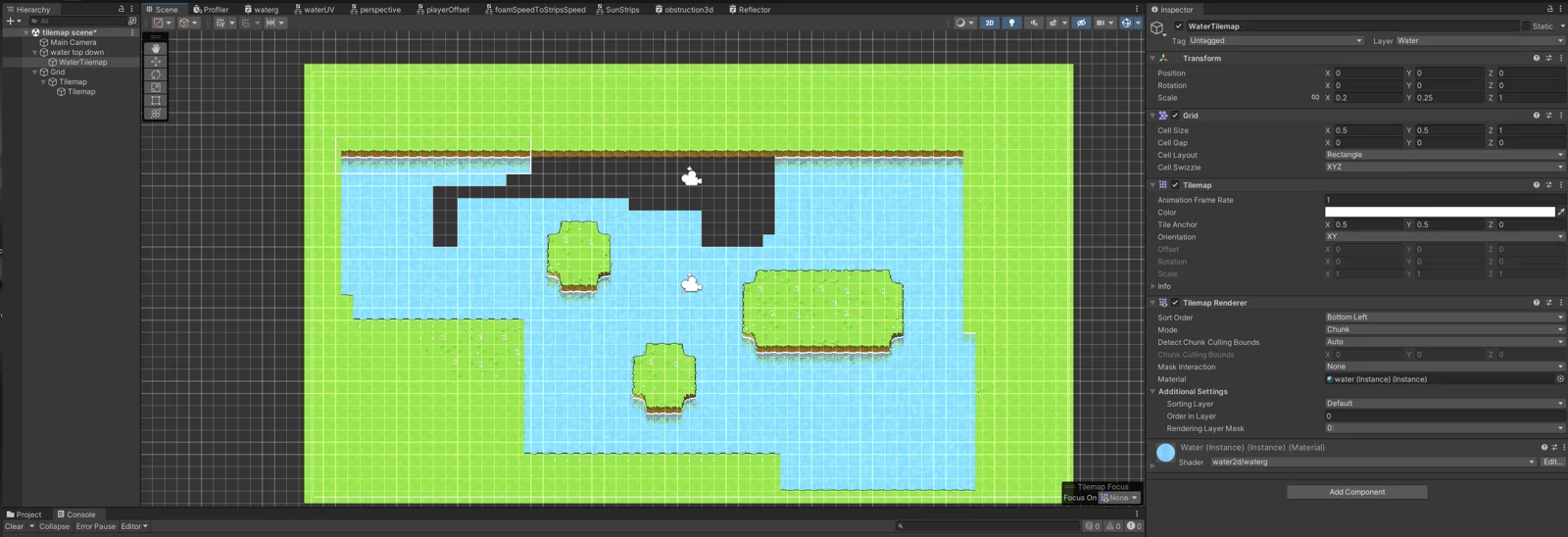
Tilemap feature compatibility:
Works: coloring, foam, strips, distortion, obstructions, simulation, all reflections, wet surface, URP lighting, surface texture
Not available: blur post-processing, perspective reflections, surface waves, surface sprite (world-mapped SpriteRenderer overlay)
Works: coloring, foam, strips, distortion, obstructions, simulation, all reflections, wet surface, URP lighting, surface texture
Not available: blur post-processing, perspective reflections, surface waves, surface sprite (world-mapped SpriteRenderer overlay)
In Tilemap mode, UVs scale with tilemap bounds. This can cause different tiling appearance compared to SpriteRenderer mode. Adjust tiling and distortion settings to compensate.