Water Source settings for swell, surface shading, underwater color, and the view from below.
Automatic waves
Water Source · Waves · Automatic waves
Setting
Effect
Sea preset
Choosing the preset prepares it. Apply writes swell parameters and restarts the simulated wave field.
Swell height
Scale automatic swell height; this is separate from moving-object strength.
Wavelength
Set the spacing of the main automatic wave crests.
Swell speed
Scales swell travel, gusts and wave grouping together. Zero holds automatic waves still; object interaction waves keep their own speed.
Direction
Main swell direction in degrees across the water’s X–Z plane.
More automatic waves settings
Setting
Effect
Crest profile
Chooses the waveform profile for the automatic swell. Interaction waves retain their own settings.
Sharpness
Adjusts the shape of automatic wave crests.
Wave spectrum
Eight resolved wave bands, with separate energy distributions and directional families. Legacy preserves saved appearances.
Swell layers
Fewer authored wave bands for a simpler painterly sea. Keeps the amplitude budget and both crossing directions; does not change the collision solver or effect switches.
Wave grouping
Slow modulation of coherent wave groups. Does not add solver steps or texture samples.
Crossing waves
Set the angle between crossing components of automatic waves.
Small-wave height
Wave amplitude in metres below which extra damping removes small residual ripples. Uses height and vertical speed together, so a tall wave survives its zero crossing.
Small-wave damping
Additional damping per second for small waves. Zero preserves the original constant-damping response.
Surface from above
Water Source · Surface and depth look · Surface from above
Setting
Effect
Surface color and alpha
Top surface color; alpha controls transparency before the opacity multiplier.
Directional surface gradient
Enables a directional Unity gradient across the surface. Its color and alpha keys can be positioned independently of the water interior.
Surface color gradient
Surface colour/alpha keys along the chosen direction. Independent of interior colour.
Gradient direction (XZ)
Rotates the gradient sampling direction in the XZ plane.
Top face opacity
Opacity of the top surface. Final opacity from below is set in Surface from below.
Decorative surface style
Select the surface shading family. Colors, normals and lighting remain editable after selection.
Style tiling (X / Z)
Sets pattern repeat across the X and virtual-Z axes of the water surface.
Style scroll (X / Z)
Moves the selected surface pattern along X and virtual Z.
More surface from above settings
Setting
Effect
Pattern color
Tint the secondary decorative surface pattern.
Pattern amount
Blend the accent pattern into the surface palette.
Pattern frequency
Changes the spacing of accents generated by the selected decorative surface style.
Pattern width
Changes the width of accents within the selected decorative surface pattern.
Sun strips enabled
Draw short, broken bands of reflected sunlight across the surface.
Sun strip color
HDR tint added by sun strips. Brighter values can feed camera bloom.
Sun strip frequency
Sets the scale of the sun-strip pattern. Larger values spread the pattern over a wider area.
Sun strip density
Frequency of the large sun visibility noise; independent of procedural fragment density.
Sun strip coverage
Fraction of fixed procedural fragment candidates to keep. Changes count without changing strip length or thickness.
Sun strip length
Length of individual sun strips along the surface.
Sun strip thickness
Thickness of individual sun strips.
Sun strip amount
Brightness of procedural sun fragments after the visibility mask.
Sun strip motion
Scrolls the sun-strip pattern along X. Zero holds it in place.
Roughness
Surface highlight roughness. Effect depends on the existing lighting/style mode.
Normal detail
Scale the fine surface-normal detail independently of large wave displacement.
Wind ripples
Strength of fine wind-driven ripples on the surface.
Breaking crests
Strength of bright breaking patches on wave crests.
Crest patch size
Changes the scale of those patches.
Pattern texture
Pattern mapped to water XZ; uses the same coordinates on submerged sprite overlays.
Pattern scale
Texture repeats per X/Z world unit. Larger values produce smaller details.
Pattern motion
Texture UV speed per second along X/Z.
Surface texture mix
Blend between plain surface color (0) and textured color (1).
Soft mist
Blend the distant water surface toward a mist color. Zero disables the effect.
Mist color
Tints the mist blended into the surface. The control appears when mist amount is positive.
Water interior
Water Source · Surface and depth look · Water interior
Setting
Effect
Depth palette
Volume coloring: physical depth, a single color, or an authored gradient.
Shallow color and alpha
Volume color at the surface and shallow edges; alpha controls the volume overlay.
Deep color and alpha
Volume color toward the physical bottom; alpha controls the volume overlay.
Y color and alpha gradient
Color and alpha from shallow (0) to physical bottom (1). Used in Gradient mode.
Interior opacity
Multiplies the alpha authored in the Y depth palette. Does not change surface opacity.
Gradient curve
Shape of the surface-to-bottom color gradient. Higher values retain shallow color longer.
More water interior settings
Setting
Effect
Blend strength
How strongly the lit surface color carries into the water at the wave face. Shared with Surface from above.
Depth reach
Fraction of water depth reached by the surface–interior blend. Shared with Surface from above.
Surface from below
Water Source · Surface and depth look · Surface from below
Setting
Effect
Tint from below
Undersurface color and alpha when the projection camera is below Y0.
Final opacity from below
Surface opacity from below; top-surface opacity remains separate.
Brightness from below
Scales brightness on the face of the surface seen from below. Final opacity has a separate control.
Pattern distortion from below
Scales surface pattern distortion only when viewed from below. Requires pattern distortion.
Reflection distortion from below
Scales reflection distortion only when viewed from below. Requires reflections and distortion.
Surface lighting
Water Source · Surface and depth look · Surface lighting
Control how strongly the top surface responds to Global Sun lighting.
Sky reflection
Adds sky color to the upper surface. More sky is visible at grazing angles.
Sky cubemap
An optional sky image. Without a cubemap the water light supplies the colors.
Waves shadow direct sunlight
Nearby crests shelter the water from direct sunlight. Affects glints and transmitted light while leaving ambient light, reflected sky and submerged sprites independent.
Underwater response
Apply the shared sun response to the shallow side/underwater appearance.
Light depth
Set how far the shallow sun response reaches below the waterline.
Rim glow
Strengthen the artistic light rim associated with wave orientation.
More surface lighting settings
Setting
Effect
Sun through waves
Art-directed solar transmission through wave crests. Thickness is an estimate from resolved height and normal, not a ray-marched interior.
Transmission color
Tint the light that appears to pass through waves.
Transmission amount
Scale wave transmission brightness; HDR values can feed project bloom.
Crest light range
Set the height range used to emphasize light in raised wave crests.
Normal influence
Vary transmission with the wave normal rather than height alone.
Transmission focus
Concentrate or broaden the transmission lobe.
Body thickness
Estimated body thickness for the thickness-based transmission style.
Crest thickness
Estimated thickness at a crest; smaller values transmit more light.
Transmission absorption
RGB absorption per metre for the estimated-thickness variant.
Rim color
Tint the artistic wave rim independently of the base water color.
Rim focus
Concentrate the rim around a narrower range of wave orientations.
Examples
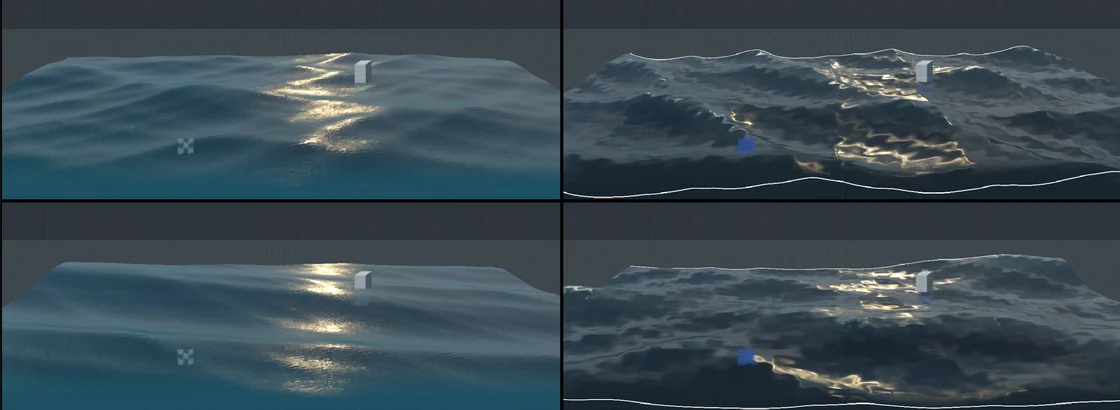
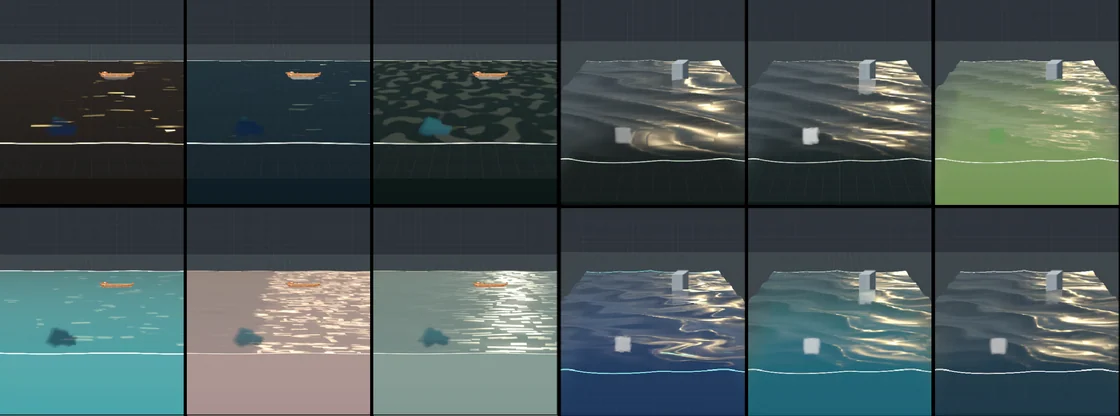
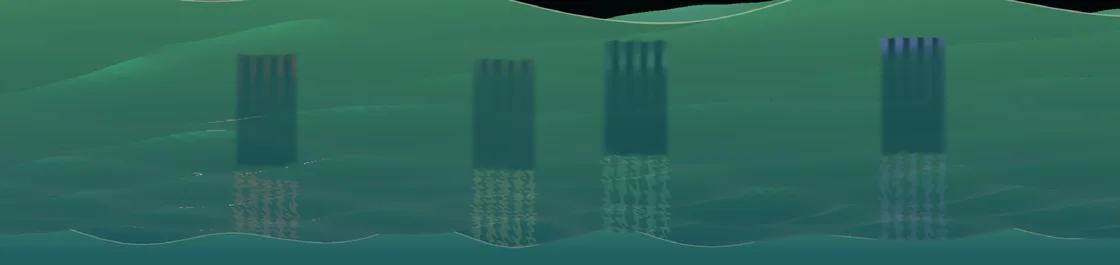
Wave Profiles compares automatic wave presets.Water Palettes compares the surface color and the gradient below it.Surface from Below shows the underside tint and opacity.