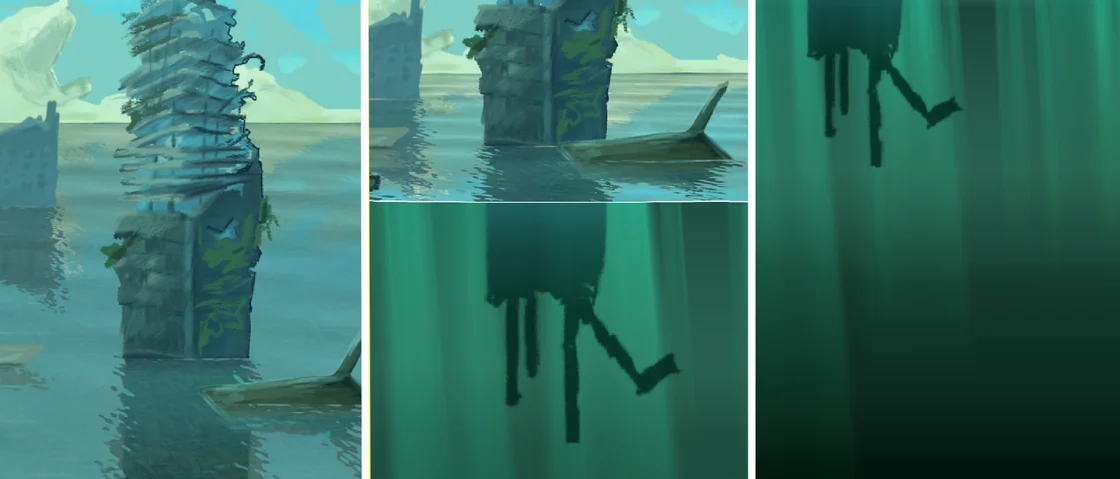
Place sprites at a water depth and configure reflections, tint, distortion, and blur.
Water Object placement
Add Water Object to a GameObject with a SpriteRenderer.
Setting
Effect
Water source
Selects the Water Source that renders and simulates this sprite’s water interaction.
Sprite placement
Choose ordinary sprite placement or Surface Decal. A decal follows the visible surface without a Rigidbody2D.
Custom water depth
Enables an independent depth lane for the sprite.
Depth in water
With Custom water depth enabled, 0 is the near shore and 1 is the far shore.
Keep original sprite size
Preserves the sprite’s apparent size when its water depth changes.
Sprite reflections
Water Source · Reflections · Sprite reflections
Setting
Effect
Reflection strength on this water
Per-source reflection multiplier. Capture quality and base reflection controls remain global.
Base strength
Local base strength is available when no shared scene reflection settings supply it.
Stronger at grazing angles
Adjusts how strongly reflections increase at shallow viewing angles. Scene reflection settings can own this value.
Wave-normal offset (px)
Offsets the sampled sprite reflection along the surface normal, in pixels. Scene reflection settings can own this value.
Reflection softness (px)
Maximum softness of captured reflections, in camera pixels. The reflection depth falloff scales this radius, so the front can remain sharp. Active Water Scene Settings supply the scene-wide radius.
More sprite reflections settings
Setting
Effect
Additional reflected Unity layers
Unity layers automatically eligible for mirrored sprite capture. Assigned sources and registered Water Objects work without this mask.
Near and far water depth
Sets the near and far virtual-water distances across which reflection depth fade is applied.
Far reflection tint and alpha
With depth fade above zero, the far color and alpha multiply the sprite’s own reflection tint and opacity.
Depth falloff mix
Blends the distant reflection toward the authored far tint and alpha.
Use surface blur falloff
Use the surface blur depth curve for reflected sprites. Existing sources keep this link.
Softness starts at depth
Start of reflected sprite softness along water depth, when the surface falloff is unlinked.
Full softness depth
Depth at which reflected sprites reach their full blur radius.
Softness curve
Shapes the transition from the reflection blur start to its end.
Submerged objects
Water Source · Surface and depth look · Submerged objects
Setting
Effect
Submerged object gradient
Submerged sprite colour keys. This palette is independent of water interior colour.
Gradient color blend
Mixes the submerged sprite gradient with the original sprite using the gradient alpha and wet tint. Per-object gradient overrides keep this blend amount.
Gradient direction
Samples the submerged-sprite gradient using vertical immersion, distance through the water, or both. The water interior uses its own gradient.
Z color distance
Z distance through water over which submerged objects reach the far end of their own colour gradient.
Y color depth
Physical depth below Y0 in world units at which deep wet tint is reached.
Wet tint strength
Strength of material wet tint. Optical tint remains independent.
Through-surface tint strength
Adds surface tint to a Water Object seen through the top. Requires refraction and a positive Surface overlay on the object; the side gradient remains independent.
Submerged sprites
Water Source · Distortion · Submerged sprites
Setting
Effect
Submerged distortion strength
Scales Water Object distortion. Explicit background transmission also uses this strength.
Fine ripple offset (px)
Sets the maximum screen-space displacement contributed by the fine ripple pattern.
More submerged sprites settings
Setting
Effect
Fine ripple texture
An assigned texture drives fine ripples. An empty slot uses the distortion pattern or the bundled fallback.
Ripple texture scale
Sets the repeat scale of the fine underwater ripple texture.
Ripple texture speed
Sets scrolling speed of the fine underwater ripple texture.
Submerged sprites softness
Water Source · Blur · Submerged sprites softness
Setting
Effect
Blur radius (px)
Sets the screen-space sampling radius of submerged sprite blur, in pixels.
Use focus distance
Use captured virtual depth to retain a sharp focus band. Transparent padding falls back to the same sprite's exact virtual depth.
More submerged sprites softness settings
Setting
Effect
Focus depth
Sets the normalized virtual depth at the center of the sharp focus band.
In-focus width
Sets the width of the sharp depth band for submerged sprites.
Focus falloff
Sets how gradually blur increases outside the sharp focus band.
Examples
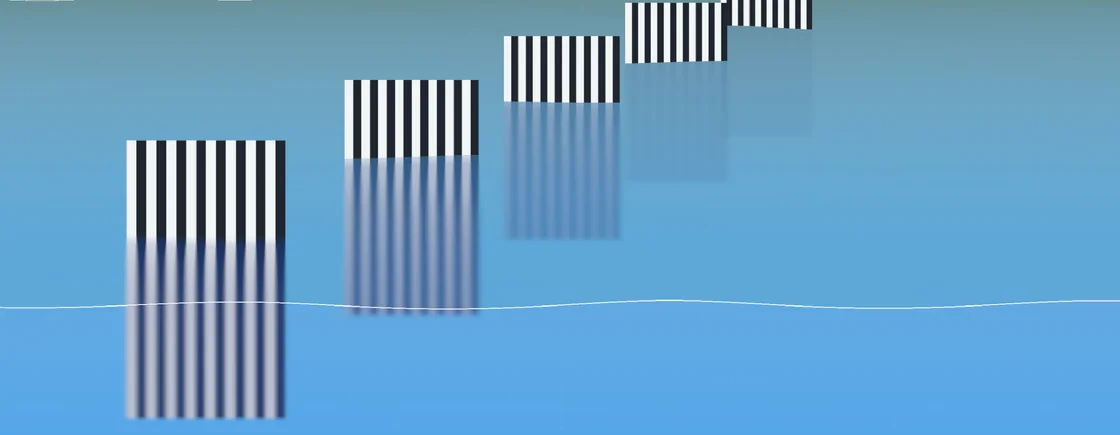
The waterline crosses each marker at its assigned virtual depth.Underwater Blur shows how blur changes the edge definition of submerged sprites.